


Starving Student Card App
3.342.00 Reviews
App Specs
- Version
- 2.0.1
- Updated On
- License
- Free
- Downloads
- 10,000+
- Developer
- SUW Design
- Categories
- Shopping
- Platform
- Android
Screenshots
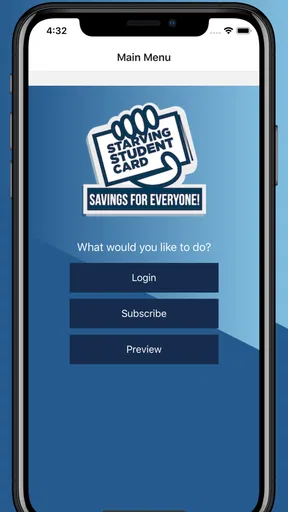
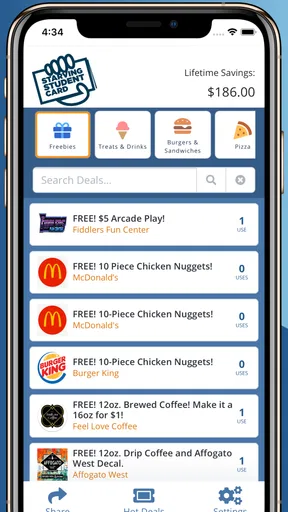
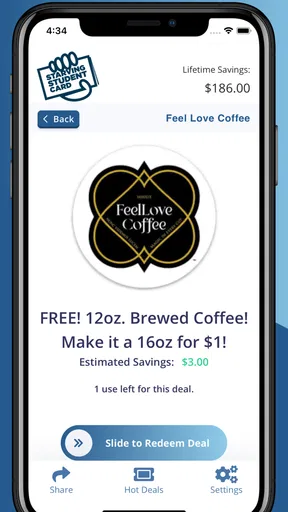
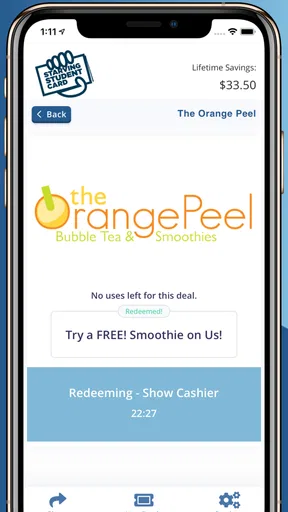
 Analysis by AppCompare
Budgeting around classes, food and social plans can make even a small discount feel worthwhile. I see the Starving Student Card App as a place to look for savings at nearby restaurants, shops and services, rather than as a replacement for every other way of finding a bargain. That distinction matters: its usefulness depends on whether the offers suit your routine and are available where you actually spend time.
What the current version is for
This is a free shopping app from SUW Design, aimed at people who want to find savings from local businesses as well as familiar places. Its current version is 2.0.0, and it runs on Android 7.0 or later. The age rating is Everyone, though its student-oriented appeal is most obvious to people managing a tight budget, whether or not they are currently at college.
The app has an average rating of 3.3 from about 69 ratings, with around 41 written reviews and over 10,000 installs. I would treat those figures as a reason to set expectations sensibly, not as proof that the app will or will not fit your town. A local deals service can be useful in one area and thin in another, so I would judge it by the offers near the places you already go.
How I would make the search useful
Rather than opening a deals app only when hunger strikes, I would check it before choosing where to eat or run an errand. That small change gives you time to compare an offer with your usual choice and decide whether it is genuinely convenient. A discount is less useful if it sends you across town or encourages spending on something you did not want.
For a practical routine, I would browse by the kind of purchase I already have in mind, then check the location and terms before setting out. If I were meeting friends, I would share a promising option early so everyone can decide together instead of negotiating after arriving. This is a better use of deal-sharing than forwarding every offer indiscriminately: it keeps the group focused on places that suit the plan.
Where it differs from general deal hunting
Compared with searching the web, checking a business’s own social pages or relying on a bank-card offer, a dedicated student-deals app can make relevant local savings easier to spot in one place. The trade-off is reach. General search and loyalty schemes may cover more businesses or work for a wider range of customers, while this app is most compelling when its student-focused offers match your neighbourhood and habits.
I would not assume that every deal beats a restaurant’s regular special, a supermarket meal deal or a price you can find elsewhere. Before making a purchase, compare the final cost and any conditions rather than focusing only on the word “discount.” If the offer requires an extra trip or a larger order than you planned, skipping it may be the better saving.
Worth Reading Before You Choose

Flipboard Shows What News Apps Must Do Beyond the Feed

Switching to Android Auto Means Rethinking Your Driving Routine

Google Calendar Makes a Crowded Week Easier to Manage

Ludo King Makes the Most of the Minutes Between Plans

Baby Panda World Brings Quick Play to Modern Phones, but Its Game Library Feels Busy

ESPN’s Live Game View Makes Following Close Games Easier
Who is likely to get the most from it
I would recommend trying it if you regularly eat out, shop locally or use services around a campus or student neighbourhood, and you are willing to check offers before spending. It may also suit someone new to an area who wants to discover businesses while keeping costs in view. The strongest fit is not simply “any student”; it is someone whose everyday routes overlap with participating places.
On the other hand, I would not make it my main savings tool if I rarely buy from local businesses, expect nationwide offers wherever I travel, or prefer a single retailer’s loyalty programme. A general coupon search may be more practical for someone who wants broad coverage, while a store-specific app can be better when most spending happens with one chain. The right choice depends on where your money goes, not just the student label.
Unpacking the App
Once I downloaded the Starving Student Card App, setting it up was a breeze. The interface is super user-friendly, and within minutes, I was exploring all the goodies it had to offer. The app is designed to help students save money by offering a plethora of discounts across various categories like food, entertainment, and even textbooks. It’s a match made in heaven for any college student.
Features Galore
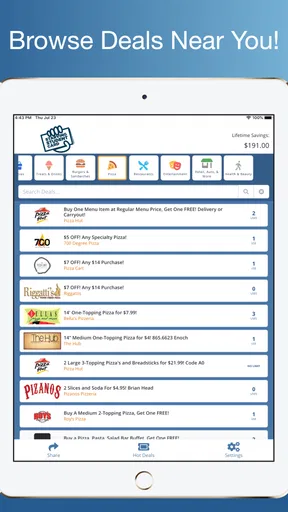
One of the first things that caught my eye was the wide range of discounts available. From local eateries to national chains, there’s a little something for everyone. The app categorizes these offers neatly, making it easy to navigate. Whether you're looking for a quick bite or a night out, you’ll find relevant deals without scrolling endlessly.
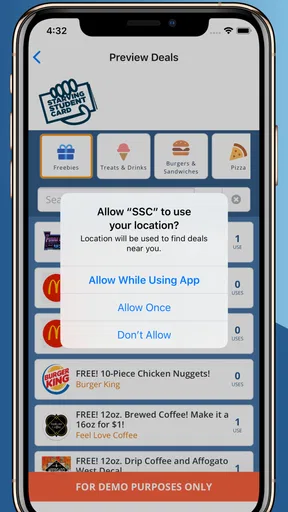
Another feature that deserves a shoutout is the map integration. The app shows you deals based on your location, which is a lifesaver when you’re out and about and need a quick, affordable option. It's like having a personal guide to budget-friendly student life.
Everyday Use and Utility
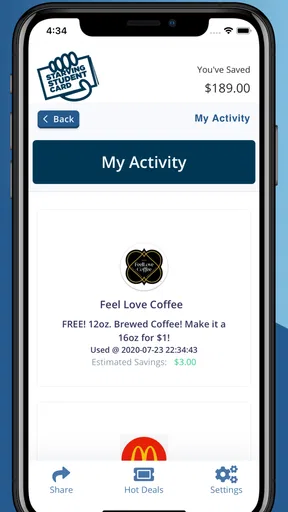
Using the app daily has been a game-changer. I’ve managed to save a decent chunk of change, which means more money in the bank for other student essentials. The app sends notifications about new deals and expiring offers, so you’re always in the loop. It’s like your personal little assistant, making sure you never miss a discount.
Another cool aspect is the social feature. You can share deals with friends, which is perfect for planning group outings without breaking the bank. Plus, the app allows you to rate and review deals, helping fellow students make informed choices.
Putting an offer to work
Here is the sort of ordinary situation where I would find a local deals app most useful: I have a gap between lectures, want lunch nearby, and am meeting a friend later. I would check the map first, look at places close enough to fit the break, and compare the offer with what I would otherwise buy. If nothing nearby makes sense, I would eat where I normally do rather than turn a discount into a detour.
For a group plan, I would share one or two suitable offers before anyone leaves home. That gives friends time to check whether the location and deal work for them, and avoids treating a listed discount as a promise that every person in the group can use it in the same way. I would also read the offer details before ordering; the headline value matters less than the conditions and the final bill.
Small habits that prevent wasted savings
Location-based browsing is most useful when you use it to narrow a decision, not to browse indefinitely. I would check nearby options first, then widen the search only if the first results do not fit. This reduces the temptation to travel farther for a marginal saving. When I know I will be visiting another part of town, checking before the trip is more sensible than relying on a last-minute search once I am already there.
Notifications can help with offers that are time-sensitive, but I would keep them only if they are genuinely useful to my routine. Too many alerts can make it easier to ignore the one that matters, and a deal reminder is not a reason to buy something unplanned. I would treat ratings and reviews as helpful context rather than a guarantee: another customer’s experience can flag a concern, but it may not tell me whether an offer suits my own visit.
Room for Improvement
While the app is pretty solid, there are a few areas where it could improve. For example, the search function could be more robust. Sometimes, I found it challenging to find specific deals without browsing through several categories. Also, having more national deals would make it even more appealing to students who move around frequently.
Some users might also find the ads a bit intrusive. While I understand the need for them, a less obtrusive integration would enhance the overall experience. But hey, for the discounts you’re getting, it’s a trade-off I’m willing to make!
Practical limits and costs
The biggest reason I would keep expectations measured is that a map and neatly grouped offers cannot make an unsuitable deal relevant. The app is most valuable when it has options in the neighbourhoods you visit and when those options match purchases you already planned. If a search for a particular item takes too much browsing, I would switch to a direct search or the business’s own information rather than spend longer chasing a possible saving than the saving is worth.
The app is free to install, but it also lists in-app purchases at $29.99 per item. I would check what a purchase covers and whether I need it before paying; free access alone does not mean every optional item is included. For someone who only wants occasional local offers, it makes sense to begin with the free experience and decide based on actual use instead of assuming an upgrade is necessary.
What the version history tells me—and what it does not
The app was released on December 30, 2019, and its current version is 2.0.0. That gives a clear point of reference for the product’s evolution, but a version number by itself does not tell me which individual features changed or how frequently the offer selection is refreshed. I would separate that known history from any expectation about what may arrive next.
For someone who already uses it, the practical question is whether the current experience continues to fit their routine: are nearby offers worth checking, is browsing manageable, and do alerts help rather than distract? A version label alone is not a reason to change habits. I would watch for improvements to search and broader coverage because those are the areas that would most directly address the friction of finding a specific offer or travelling between places.
Final Thoughts
All in all, the Starving Student Card App is a nifty tool for any student looking to save money. It’s easy to use, packed with valuable deals, and makes student life just a tad more affordable. If you’re a student trying to balance budgets while still enjoying life, this app is definitely worth a spot on your smartphone.
Ready to dive into a world of savings? Download the app and start exploring the discounts today. Your wallet will thank you!
Pros
- Easy-to-use interface for quick navigation.
- Budget tracking helps control student expenses.
- Customizable categories for personalized budgeting.
- Syncs across devices for seamless access.
- Offers financial tips tailored for students.
Cons
- Limited features in the free version.
- No offline mode available for use.
- Advertisements can be intrusive at times.
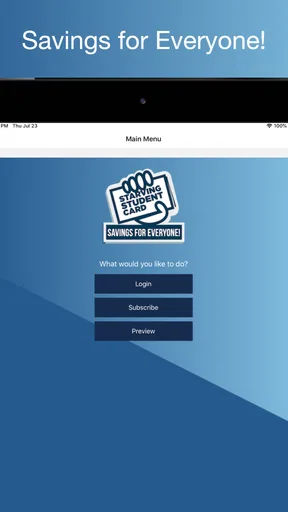
- Requires registration for full functionality.
- No integration with external banking apps.
FAQs for Starving Student Card App
What is the Starving Student Card App and how does it work?
The Starving Student Card App is designed to help students save money by providing exclusive discounts and deals at various local restaurants, stores, and entertainment venues. Users can browse through available offers, redeem deals directly through the app, and even track their savings over time. It's a convenient and cost-effective way to enjoy student life on a budget.
Is the Starving Student Card App available for both Android and iOS devices?
Yes, the Starving Student Card App is available for download on both Android and iOS platforms. You can find it on the Google Play Store for Android devices and the Apple App Store for iOS devices. Ensure your device is compatible with the app's requirements for optimal performance.
Are there any subscription fees or hidden costs associated with the app?
The Starving Student Card App is free to download. However, some features or premium deals may require a subscription or in-app purchases. It's important to review the app's pricing details before committing to any purchases to avoid unexpected charges.
How frequently are new deals and discounts added to the app?
New deals and discounts are updated regularly on the Starving Student Card App. The frequency of updates can vary depending on the partnerships and local businesses involved. Users are encouraged to check the app frequently to take advantage of the latest offers and maximize their savings.
How secure is the Starving Student Card App in terms of user data?
The Starving Student Card App prioritizes user privacy and data security. It employs encryption and other security measures to protect personal information. Users should review the app's privacy policy to understand how their data is collected, used, and stored, ensuring they are comfortable with its practices.


